
Invite someoneIn Settings › Team & seats
In Settings › Team & seats
Send the invite
Team & seats takes their email and a role. They click the link in the invite email and they are in; nothing else to set up.
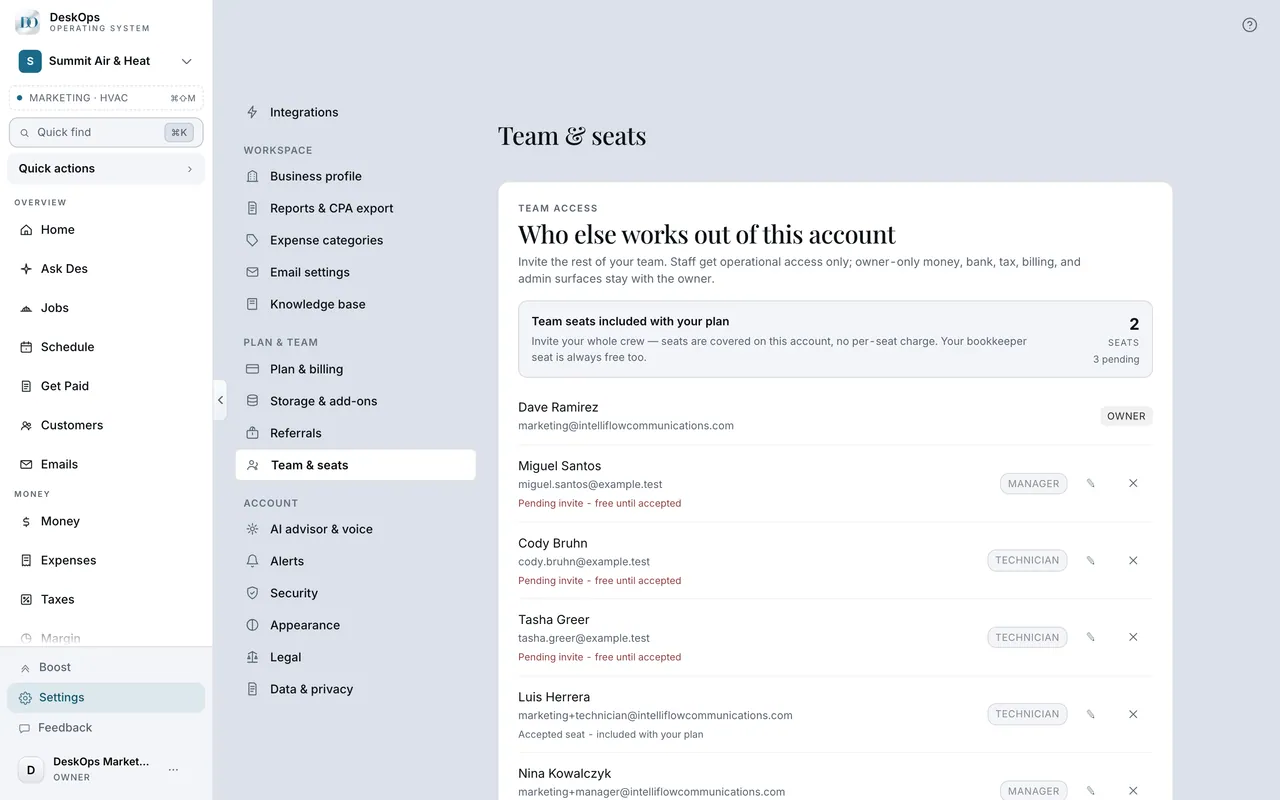 Example screen
Start here · On a computer
- 1Settings
- 2Team & seats
invite with their email and a role.
On your phone: Settings → Team & seats → Invite a member.
In you invite them from Settings
How they get in
They click the link in the invite email. That is the whole thing; there is no password to make up.
Example screenStart here · On a computer
- 1you invite them from Settings
- 2Team & seats
they get an email with a link and click it.
On your phone: Settings → Team & seats → Invite a member.
In Settings › Team & seats
What a seat costs
$9 a month per person who accepts, on your same bill. A Bookkeeper seat for your accountant is free.
Example screenStart here · On a computer
- 1Settings
- 2Team & seats
each accepted member is a seat, billed on your subscription.
On your phone: Settings → Team & seats.
Worth knowingInvite the bookkeeper first; it costs nothing and they stop emailing you for statements.
Ready to do this with your own business?
Invite with the smallest role that does the job; you can widen one person later.