
Connect your bankIn Settings › Integrations
In Settings › Integrations
What connecting the bank does
Your bank connection brings in every transaction — charges as sorted expenses, deposits as revenue — and confirms that processor payouts actually arrived.
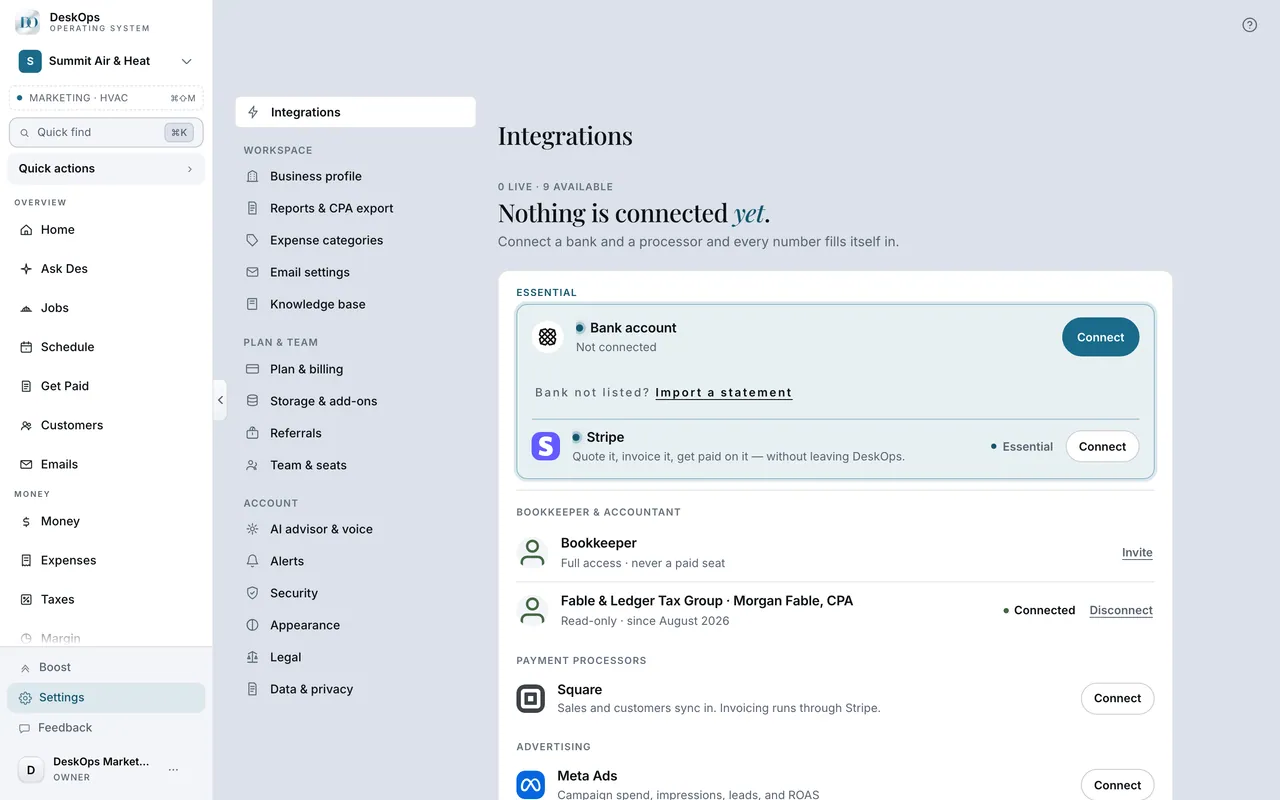 Example screen
Start here · On a computer
- 1Settings
- 2Integrations
- 3the bank connection card
On your phone: Settings → Integrations → same card.
In Settings › Integrations
Connect it
The bank card under Integrations opens Plaid’s own sign-in. You sign in there, and DeskOps never sees your password.
Example screenStart here · On a computer
- 1Settings
- 2Integrations
- 3the bank connection card
which opens Plaid.
On your phone: Settings → Integrations → same card.
In Your money
Why a deposit is not revenue
A processor deposit is several customer payments that are already counted. Counting the deposit again would double your revenue, so it is labelled a payout instead.
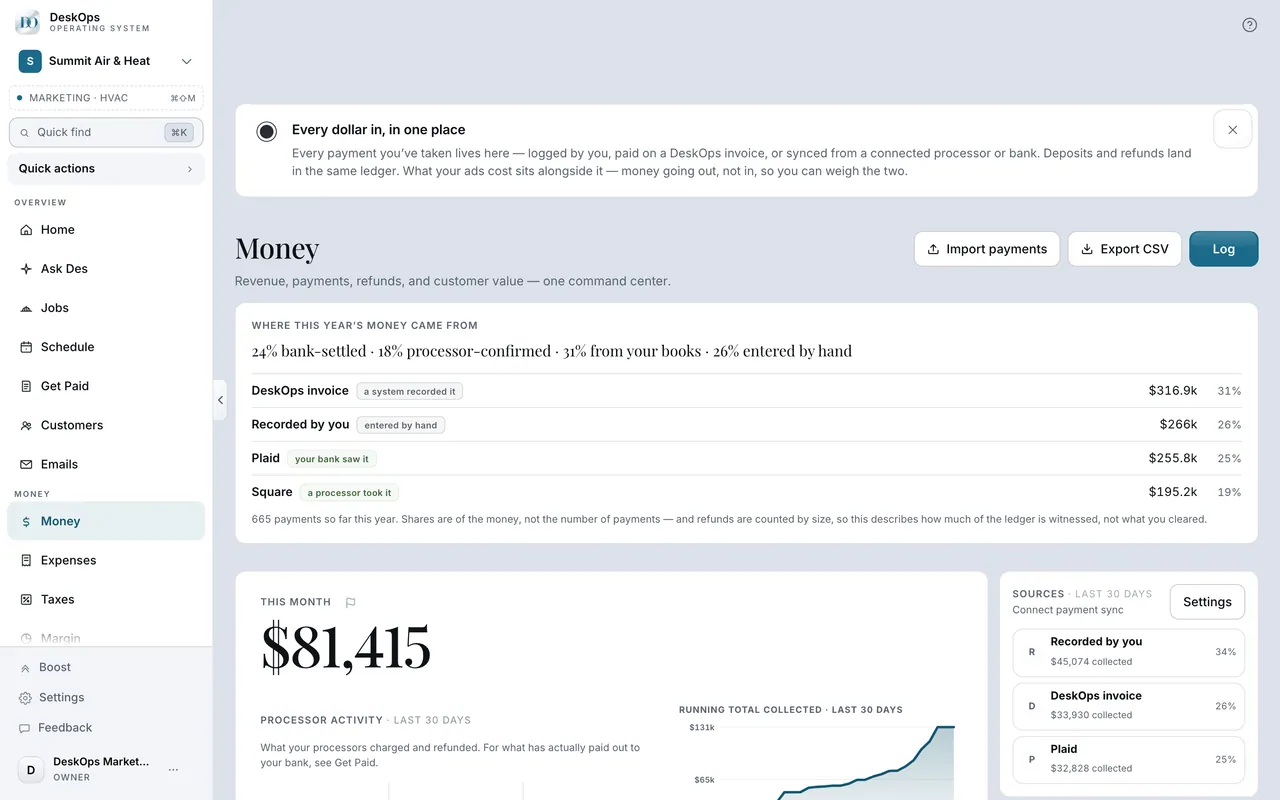 Example screen
Where it is · On a computer
Money — the deposit is there, marked as a processor payout, not as a sale.
On your phone: Money in the Menu tab, same marking.
In Get Paid › Invoices
Confirm a deposit match
The bank deposit review on Get Paid holds a payout-to-deposit match until you confirm it, in plain words. An empty queue is normal.
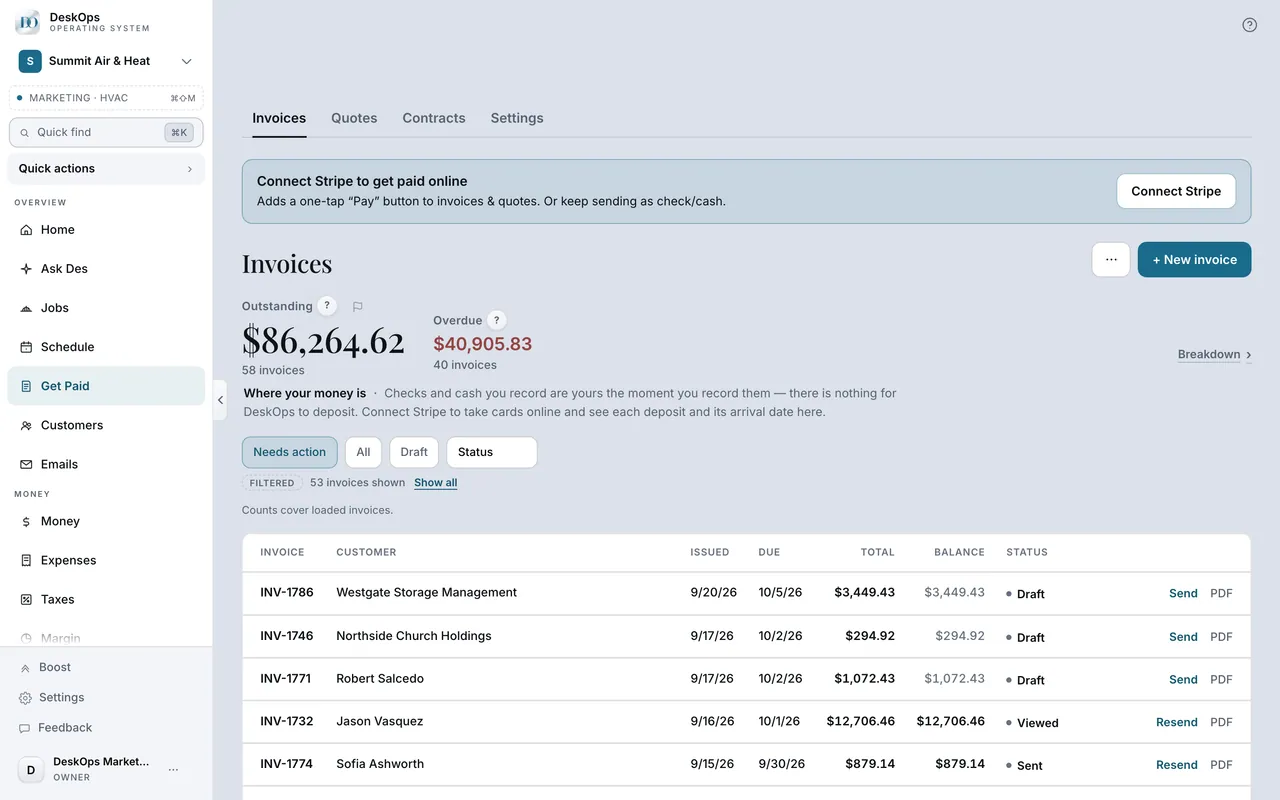 Example screen
Start here · On a computer
- 1Get Paid
- 2Invoices tab
the review card, when there is something to review.
On your phone: Get Paid, same card.
Ready to do this with your own business?
Connect the business checking account; one account is enough to start.