
Put a job on the boardIn Jobs and the schedule
In Jobs and the schedule
Open the schedule
Schedule is in the sidebar. Week view is seven days across; Day view is one column per crew member for the morning of.
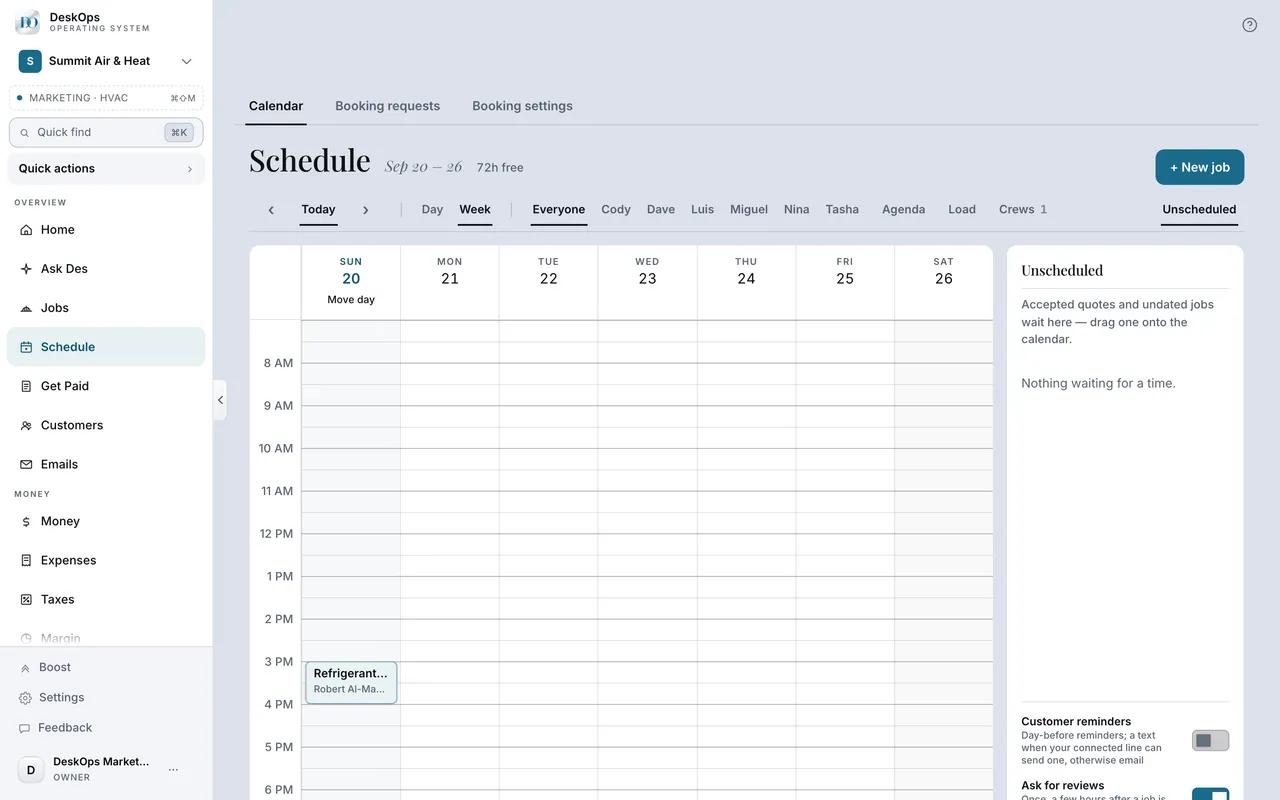 Example screen
Where it is · On a computer
Schedule in the sidebar under Overview. Two views on one grid: Week (seven day columns) and Day (one column per crew member, plus Unassigned).
On your phone: Schedule in the Menu tab for an owner (the day board); a field seat has Schedule on the bottom rail and gets their own run sheet.
In Schedule
Make the job
New job takes the customer, the work, a time window and who is doing it. A job with no date yet waits in the tray until you drag it onto a day.
Example screenStart here · On a computer
- 1Schedule
- 2New job
or drag a job out of the Unassigned tray onto a day or a person.
On your phone: Schedule → New job.
In Schedule
Move or cancel a booked visit
When the customer was given a time, moving the visit sends them the new one and cancelling tells them — automatically, in writing from your business.
Example screenStart here · On a computer
- 1Schedule
- 2drag the visit to its new time
or open it and cancel.
On your phone: Schedule → the visit → change the time, or cancel.
Ready to do this with your own business?
Make the job the day the customer calls, even without a date; it waits in the tray.