
See what a job earnedIn Jobs and the schedule
In Jobs and the schedule
Read the Jobs page
Jobs is the board of your work with the money attached — what each job brought in, what it cost, and what it earned. By type shows which work is worth doing.
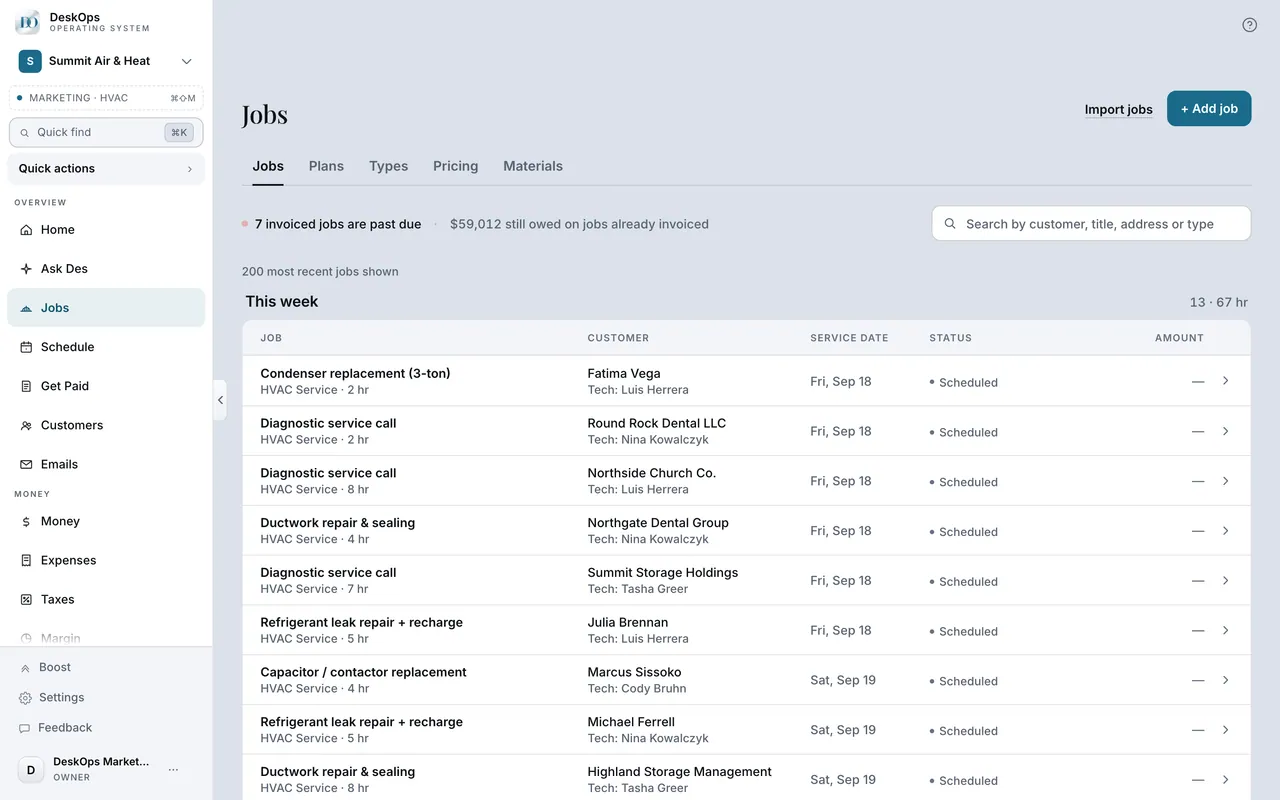 Example screen
Where it is · On a computer
Jobs in the sidebar under Overview (the URL is /jobs). Owner-only. Five tabs — the board (named for your trade's own word for the work), Plans, Types, Pricing, Materials.
On your phone: Jobs in the Menu tab, same five tabs.
In Jobs in the sidebar
Attach the costs
Open the job and add the expense or the materials to it. A receipt scanned from the job lands on the job; one scanned from Expenses can be attached afterwards.
Example screenStart here · On a computer
- 1Jobs in the sidebar
- 2open the job
add the expense or materials.
On your phone: Jobs in the Menu tab → open the job → add the expense or materials.
In Jobs
Why a margin says unknown
Unknown means money came in and no costs were attached yet. It is not 100%; it is a job waiting for its costs.
Example screenStart here · On a computer
- 1Jobs
- 2By type
or the Margin page.
On your phone: Jobs → By type.
Worth knowingRead “unknown” as a to-do, not an error.
Ready to do this with your own business?
Attach the material receipt to the job the day you buy it; that is the whole trick to a true margin.