
Let customers pay by cardIn Settings › Integrations
In Settings › Integrations
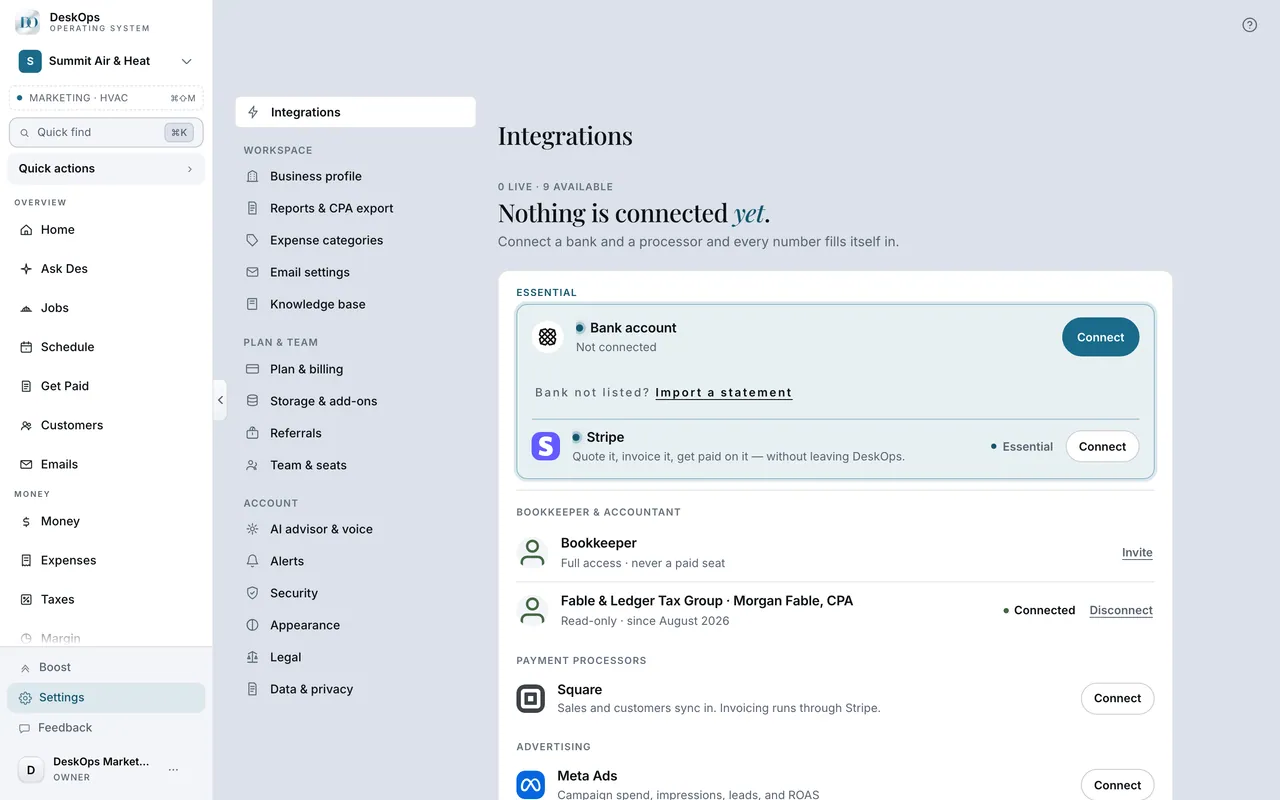
Connect Stripe once
Customers can pay by card when Stripe is connected: every invoice you email after that carries a Pay link, with no account or app on their side.
 Example screen
Start here · On a computer
- 1Settings
- 2Integrations
- 3connect Stripe
After that, every invoice you send by email carries a Pay link.
On your phone: Settings → Integrations → Stripe, then send invoices as usual from Get Paid.
In Get Paid › open an invoice
Know what a card payment costs
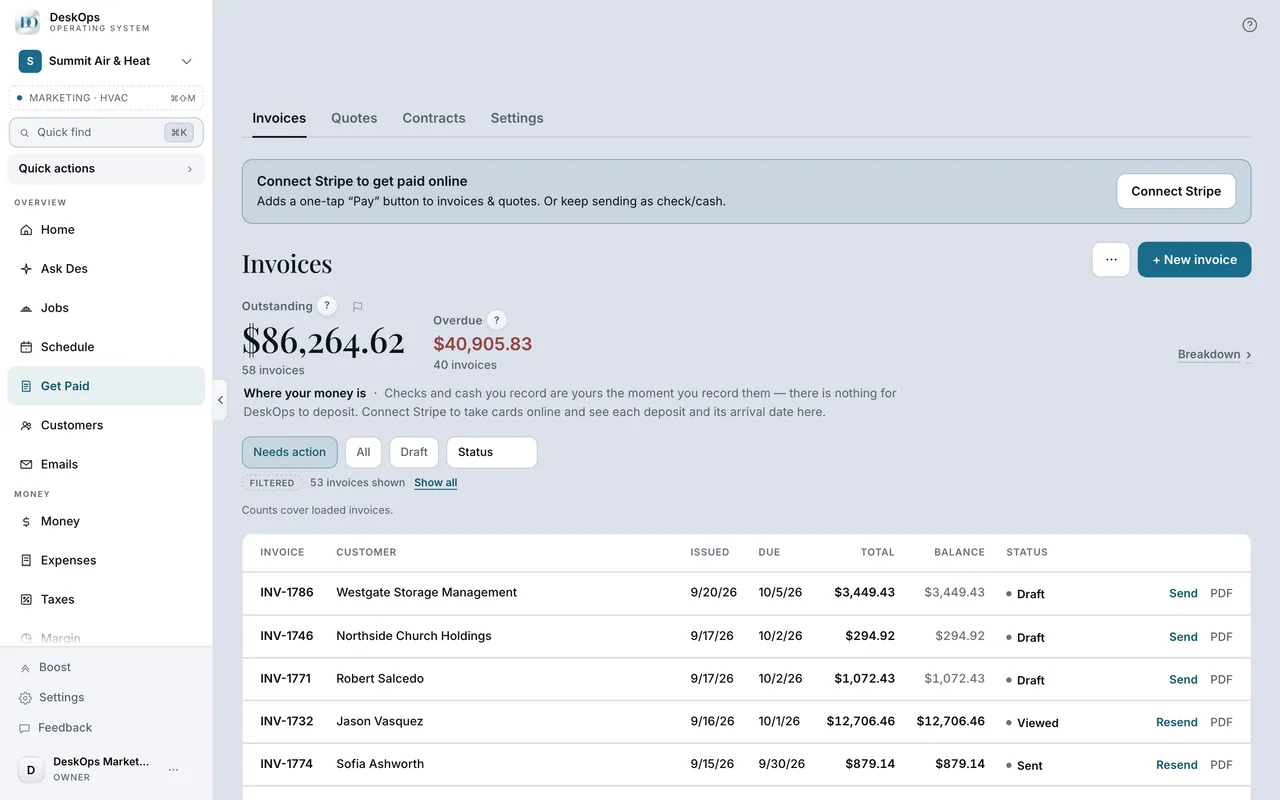
Two fees come out of the payout: Stripe’s card fee and DeskOps’s 0.4%. The customer is charged exactly the invoice total and never sees a fee line.
 Example screen
Start here · On a computer
- 1Get Paid
- 2open an invoice
the fee status for your account is shown on the invoice detail.
On your phone: Get Paid → open an invoice, same detail.
Worth knowingCash, check, Square and PayPal payments carry no DeskOps fee.
In Get Paid › Settings
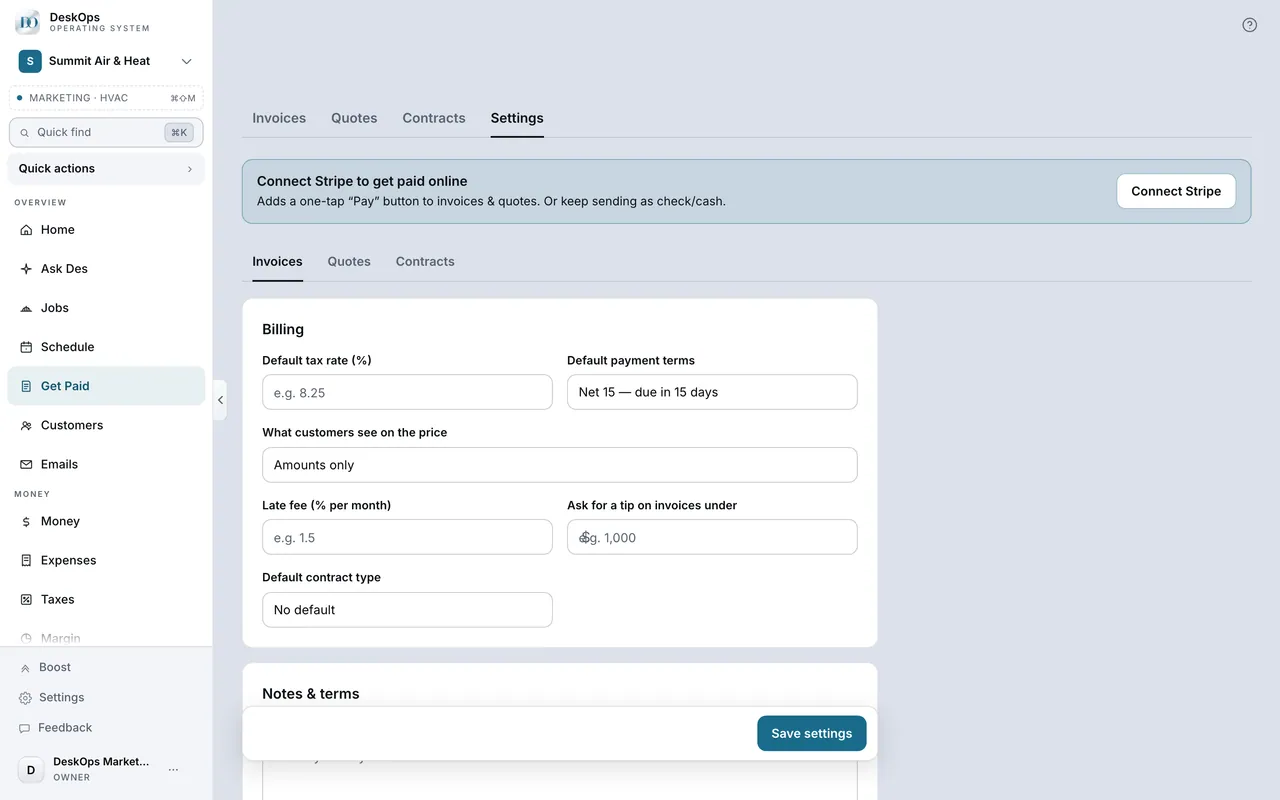
Decide whether to allow tips
When you allow it, the pay page offers flat tip amounts, never pre-selected, and “No tip” is always one tap away.
 Example screen
Start here · On a computer
- 1Get Paid
- 2Settings tab
- 3Invoices
- 4the tip setting
On your phone: Get Paid → Settings tab → Invoices.
Ready to do this with your own business?
Connect Stripe once; invoices you send after that carry the Pay link on their own.