
Keep your connections healthyIn Connections
In Connections
Connect your payment processor
Press Connect on your processor in Integrations. You sign in on Stripe’s or Square’s own page, approve, and land back in DeskOps, which never asks for that password.
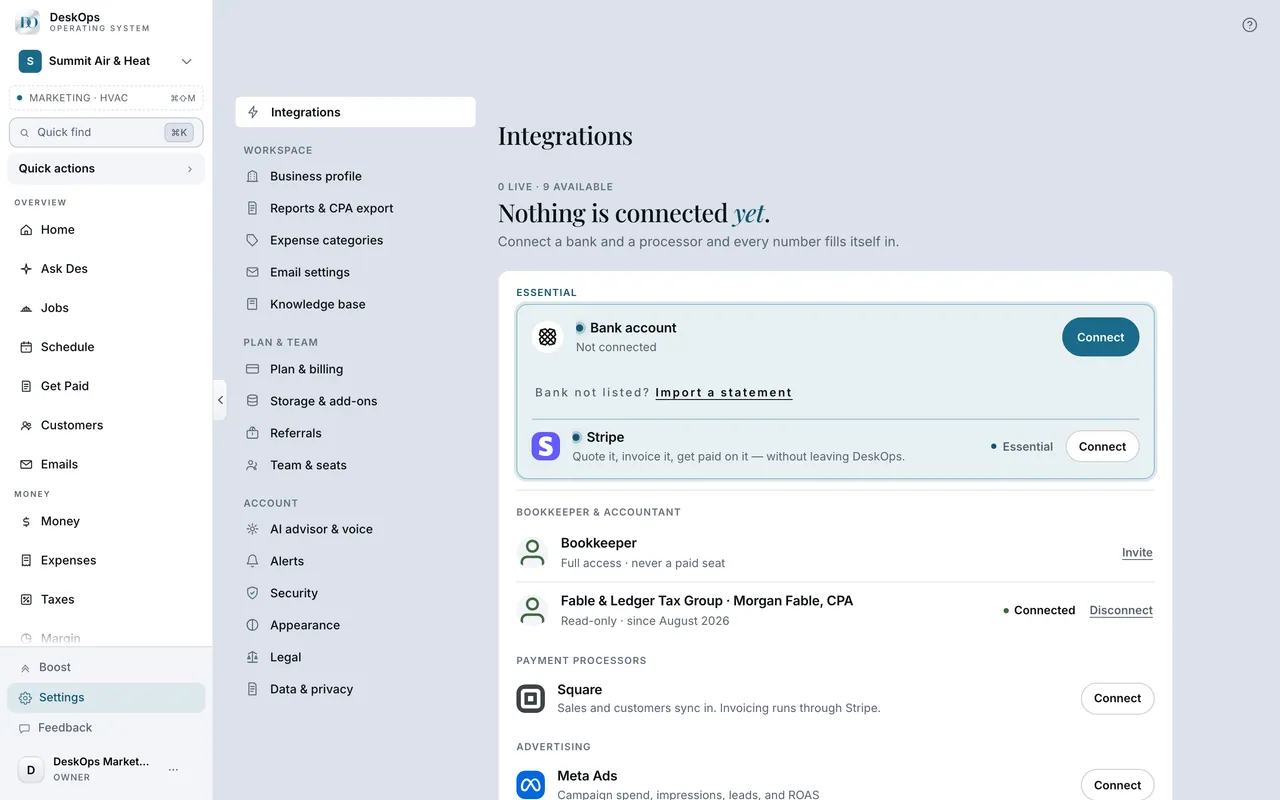 Example screen
Start here · On a computer
- 1Connections
- 2Find the processor under Payment Processors
- 3Connect
You sign in on their site, approve, and land back in DeskOps.
On your phone: Connections → tap the processor → Connect.
In Your first day
Your password stays with the provider
DeskOps holds a revocable token, never your bank or processor password. You type it only on the provider’s own site.
Where it is · On a computer
never. Every connection is OAuth or Plaid, and you type your password on the provider's own site.
On your phone: same — the connect flow opens the provider's page.
In Connections
Know how often each one syncs
Stripe, Square and the bank sync every hour, and Google Ads weekly on Monday mornings. Sync on a tile runs that connection on the spot.
Example screenStart here · On a computer
- 1Connections
each tile shows when it last synced, with Sync beside it.
On your phone: Connections → the connection → Sync now.
Worth knowingQuickBooks and Xero import your history once and never run on a schedule.
In Connections
When the numbers look out of date
Press Sync on the connection. A first connection pulls 365 days in the background, so the cards fill in over several minutes and nothing is broken.
Start here · On a computer
- 1Connections
- 2Open the connected tile has Sync
On your phone: Connections → tap the connection → Sync now.
In Connections
When a connection says nothing has come in
After a full day with no customers or payments the row says so. If you do take payments there, a different account was probably connected.
Start here · On a computer
- 1Connections
- 2Open the connection's row
In Connections
When a tile says Reconnect
Press Reconnect and sign in again; it picks up where the sync left off. Until Stripe is reconnected, customers cannot pay by card or bank.
Start here · On a computer
- 1Connections
- 2Open the tile shows Reconnect
Click it and sign in again.
On your phone: Connections → tap the connection → Reconnect.
In Connections
Disconnect without losing history
Disconnecting stops future syncing and revokes the token at the provider where it can. Data that already synced stays.
Start here · On a computer
- 1Connections
- 2Open the connected tile
- 3Disconnect
On your phone: Connections → tap the connection → Disconnect.
Want to look at your own?
Each tile shows when it last synced; Sync, Reconnect and Disconnect sit beside it.