
Connect how you get paidIn Your first day
In Your first day
Connect your card processor first
While you are new, Home lists three steps — connect how you get paid, connect your books, say hello to Des — each a link to the right place. The processor comes first.
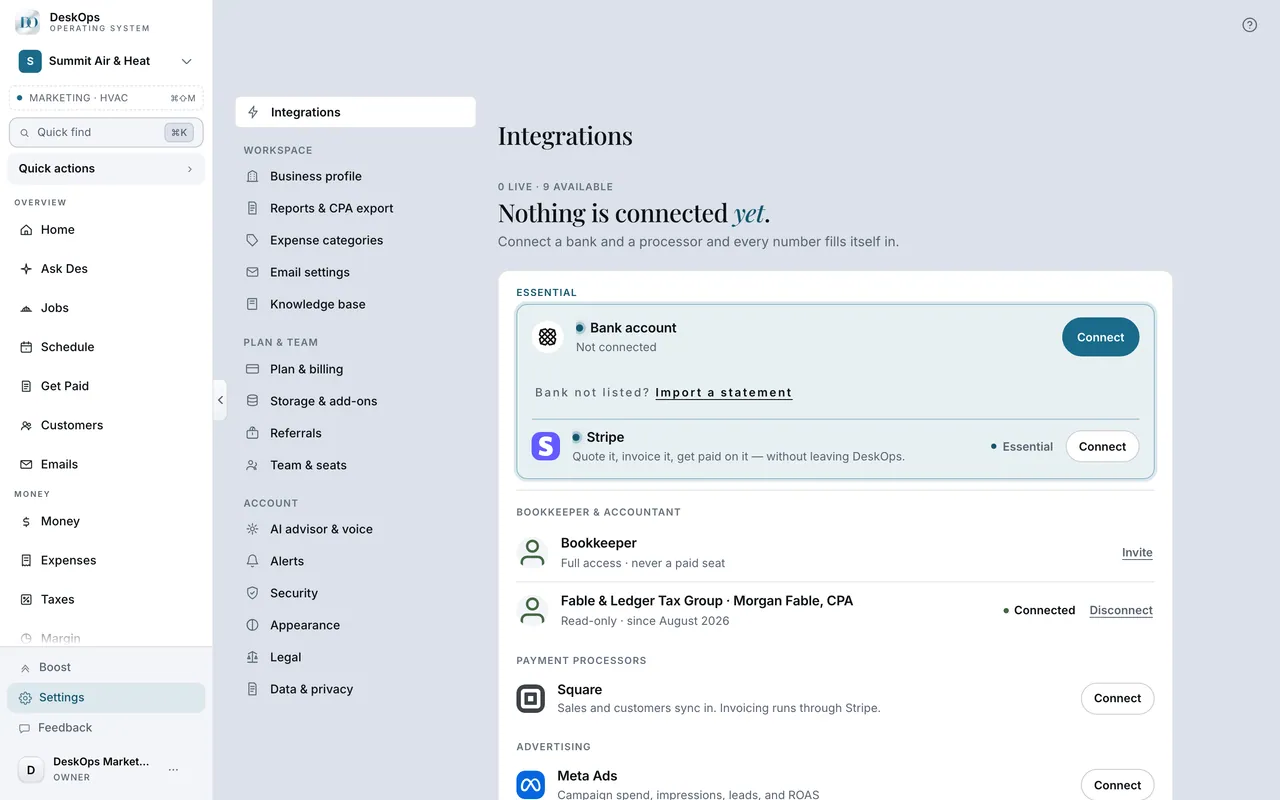 Example screen
Where it is · On a computer
Home shows a setup checklist with three steps: connect a payment processor, connect accounting, and send your first message to Des. Each one deep-links to the right place.
On your phone: the same checklist at the top of Home.
Worth knowingEvery page fills in on its own once real payments arrive; nothing needs typing in.
In Settings
Give a new connection a few minutes
A new connection pulls a full year of history in the background, so Home can stay empty for a few minutes before the first numbers appear.
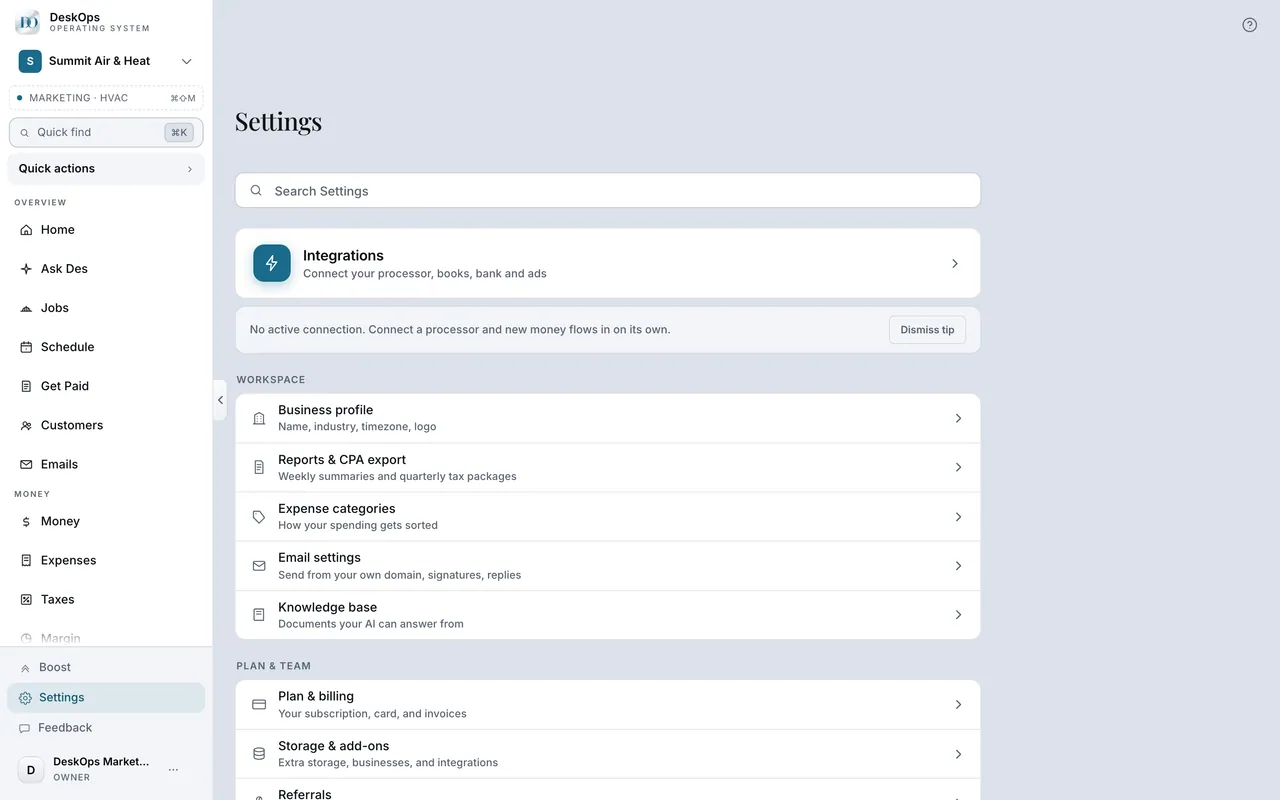 Example screen
Start here · On a computer
- 1Settings
- 2Integrations shows the connection state
and Sync Now forces a refresh.
On your phone: Settings → Integrations → the connection → Sync Now.
Worth knowingDo not connect the same account twice. If it still looks stuck, Settings → Integrations has Sync now.
Ready to do this with your own business?
Connect the one you take most payments through; the others can follow later.