
When someone leavesIn Settings › Team & seats
In Settings › Team & seats
Remove the seat
Remove on the person’s row ends their access immediately. Their history — the jobs, the hours, the commissions — stays on the record.
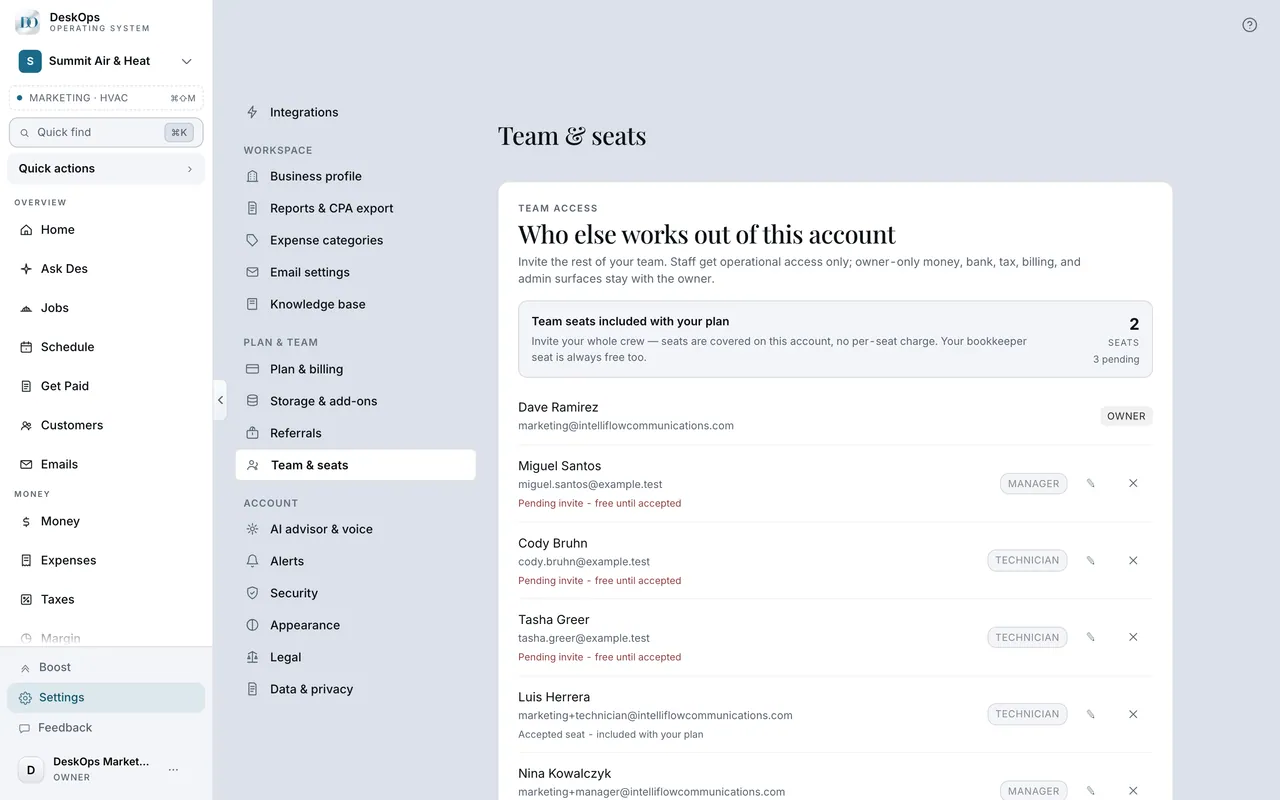 Example screen
Start here · On a computer
- 1Settings
- 2Team & seats
- 3find the member
- 4remove
On your phone: Settings → Team & seats → tap the member → remove.
In Settings › Security
Sign out everywhere
Sign out all devices under Security ends every session, including yours — the move for a lost phone.
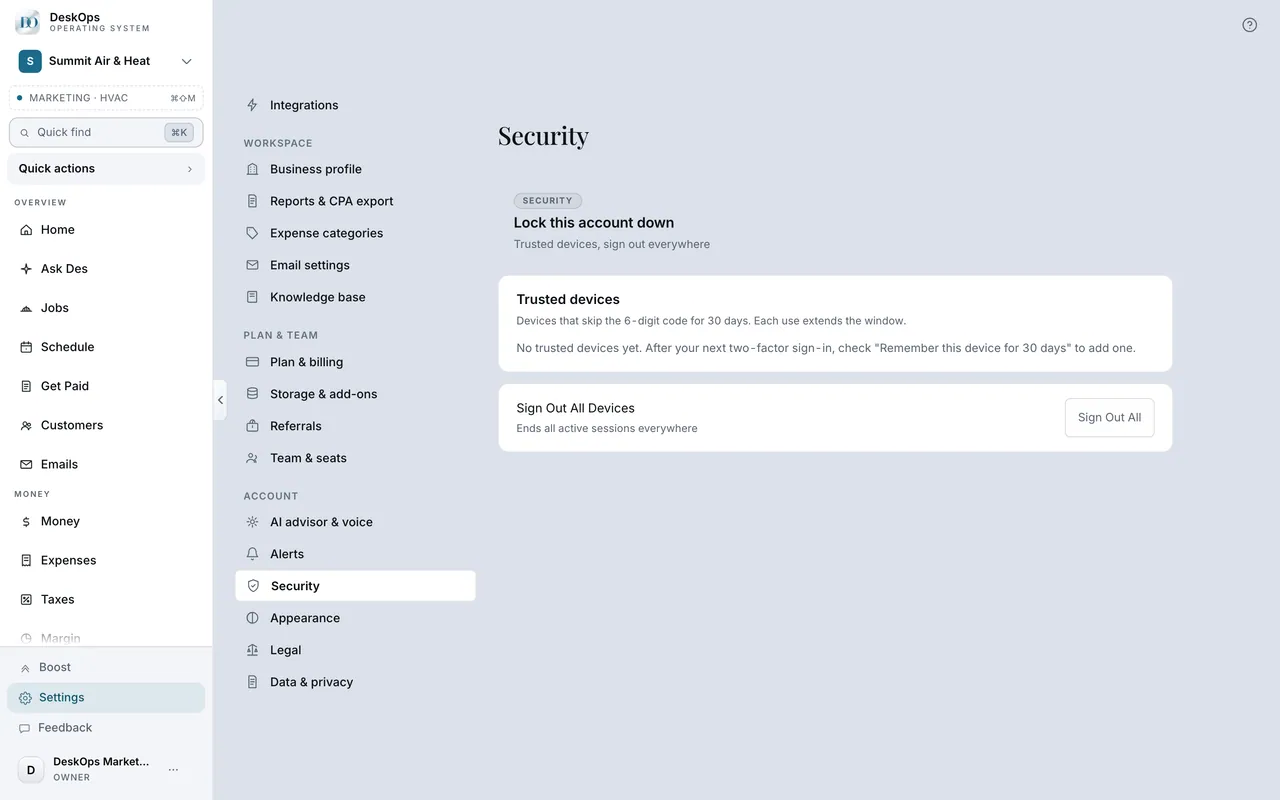 Example screen
Start here · On a computer
- 1Settings
- 2Security
- 3sign out of every device
On your phone: Settings → Security → Sign out all devices.
Ready to do this with your own business?
Remove the seat before the last paycheck clears.