
Put a payment on the right customerIn Money in
In Money in
Open the payment and choose who paid
On Money in, open the payment and choose the customer under Who paid. A payment with no customer then counts on their lifetime spend at once.
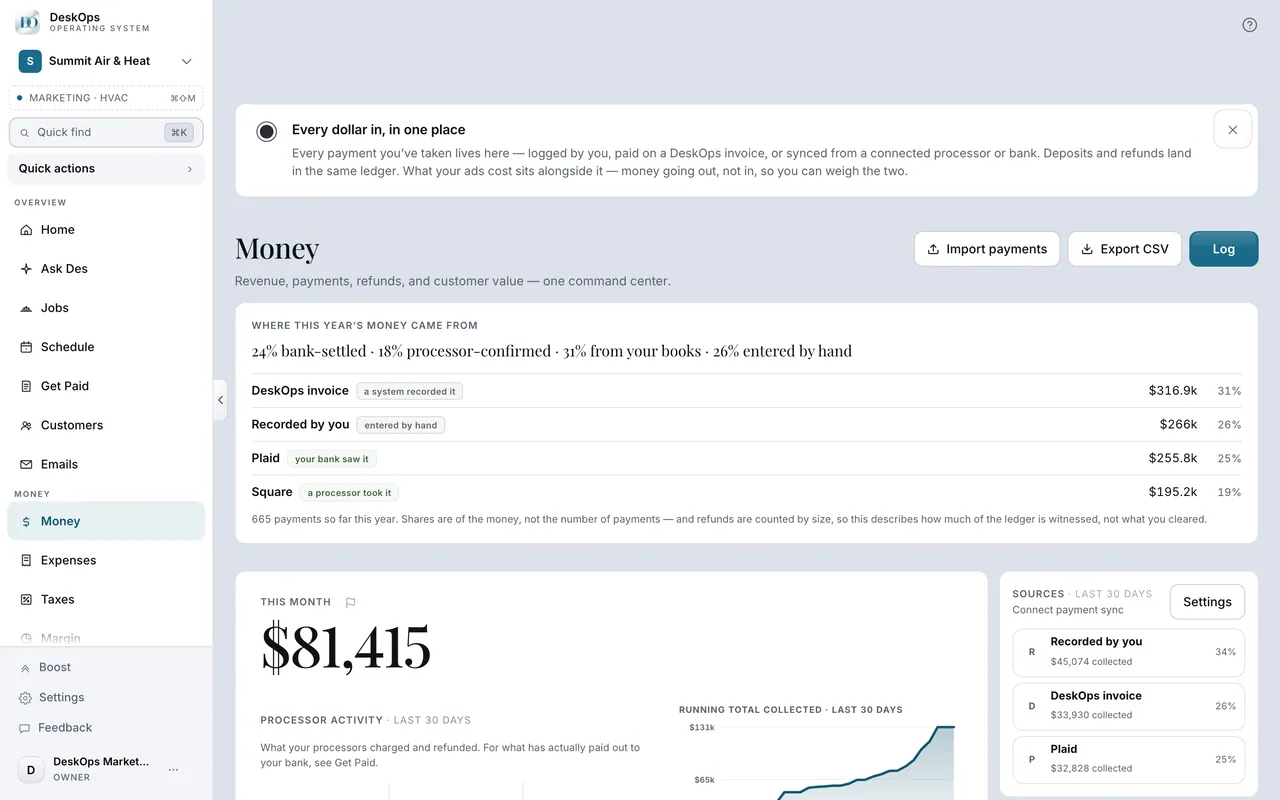 Example screen
Start here · On a computer
- 1Money in
- 2Open the payment
- 3Who paid?
On your phone: Menu → Money in → the payment → Who paid?
Worth knowingA payment that settles an invoice follows the invoice, so change the customer on the invoice instead.
In Money in
Why a payout looks smaller than the charge
Money shows the charge including sales tax; Get Paid shows what settles after fees. They are the same payment before and after fees, and a dash in fees means none is recorded.
Example screenRoute 1 · On a computer
- 1Money in
- 2Open the Processor activity row under the month figure
Route 2 · On a computer
- 1Get Paid
- 2Open the Your money panel
On your phone: Menu → Money in → Money insights; Get Paid → Manage payouts.
Ready to do this with your own business?
Fix it while you remember who paid; their lifetime spend updates the moment you choose.