
Send your accountant the packageIn Taxes
In Taxes
What is in the package
Everything a return starts from — gross and net, expenses by tax category, the estimates, mileage — in one PDF your accountant can work from.
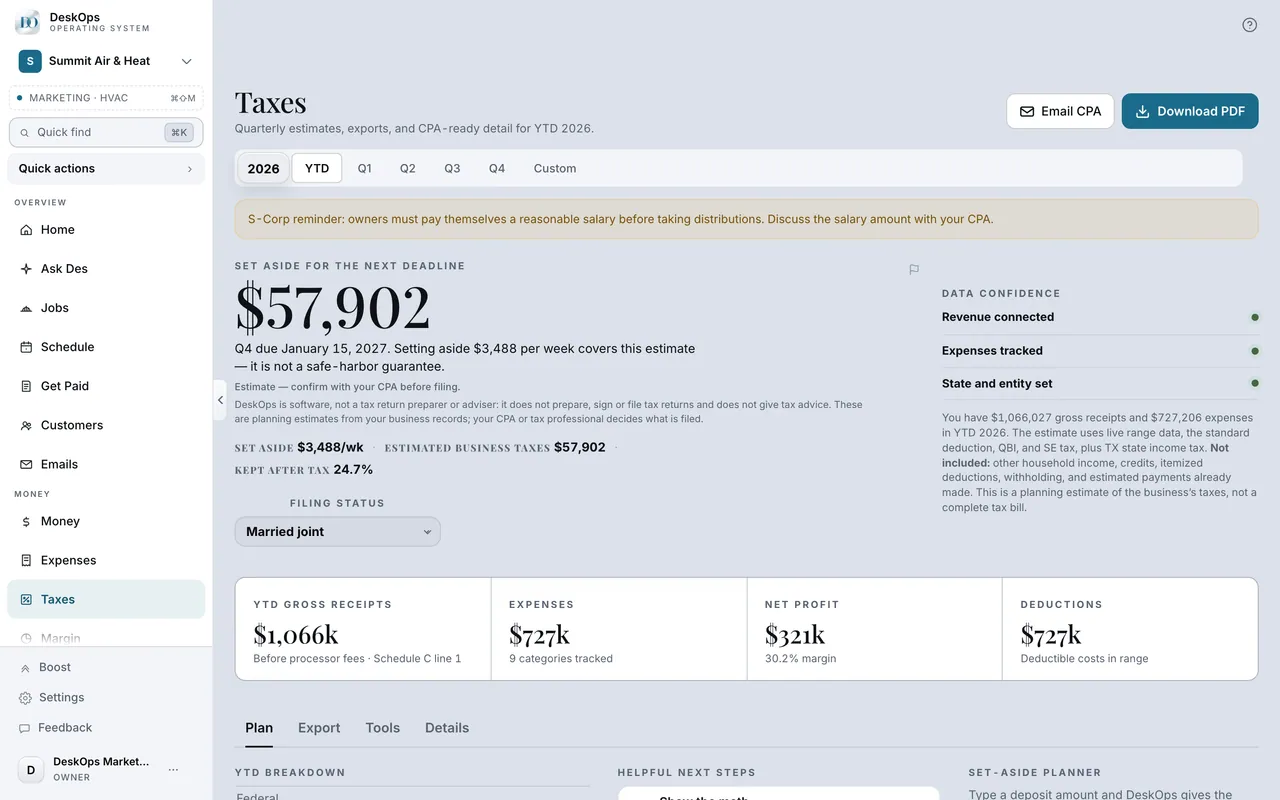 Example screen
Start here · On a computer
- 1Taxes
- 2download the CPA PDF
or Year-end for the whole package.
On your phone: Taxes → the same actions.
In Taxes
Send it on a schedule, if you turn it on
When you switch it on, the package goes to your CPA at each quarterly close, before each due date, or once at year end — your choice.
Example screenStart here · On a computer
- 1Taxes
- 2Auto-send tax packets
turn it on and pick a schedule: Quarterly close, Before due dates, or Year-end only.
On your phone: Taxes → Auto-send tax packets.
In Settings › Business profile
Set your CPA’s email
CPA Email on the Business profile is where the package goes. Save it once and the sends use it.
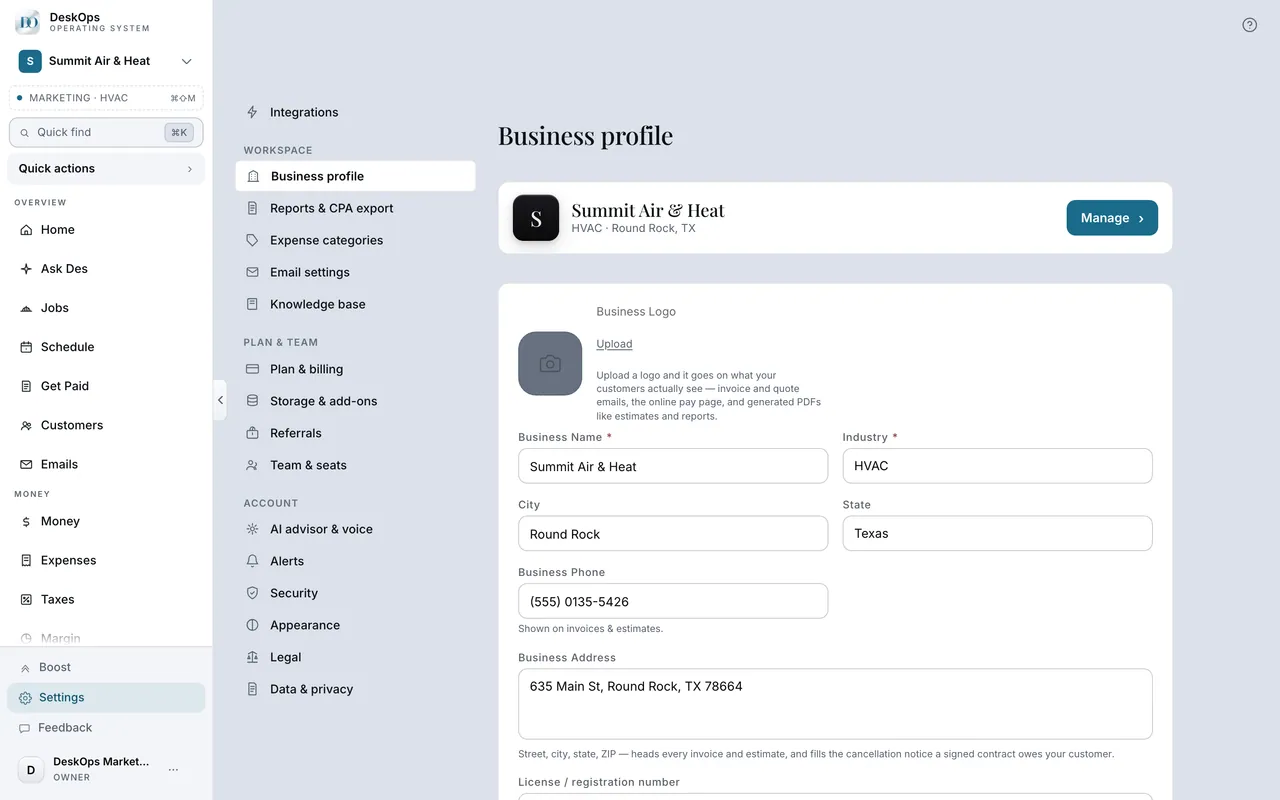 Example screen
Start here · On a computer
- 1Settings
- 2Business profile
- 3CPA Email
- 4Save Changes
On your phone: Settings → Business profile → CPA email.
In Settings › Reports & CPA export
The 1099 summary
Reports & CPA export lists everyone you paid enough to need a 1099-NEC. December is the month to check it.
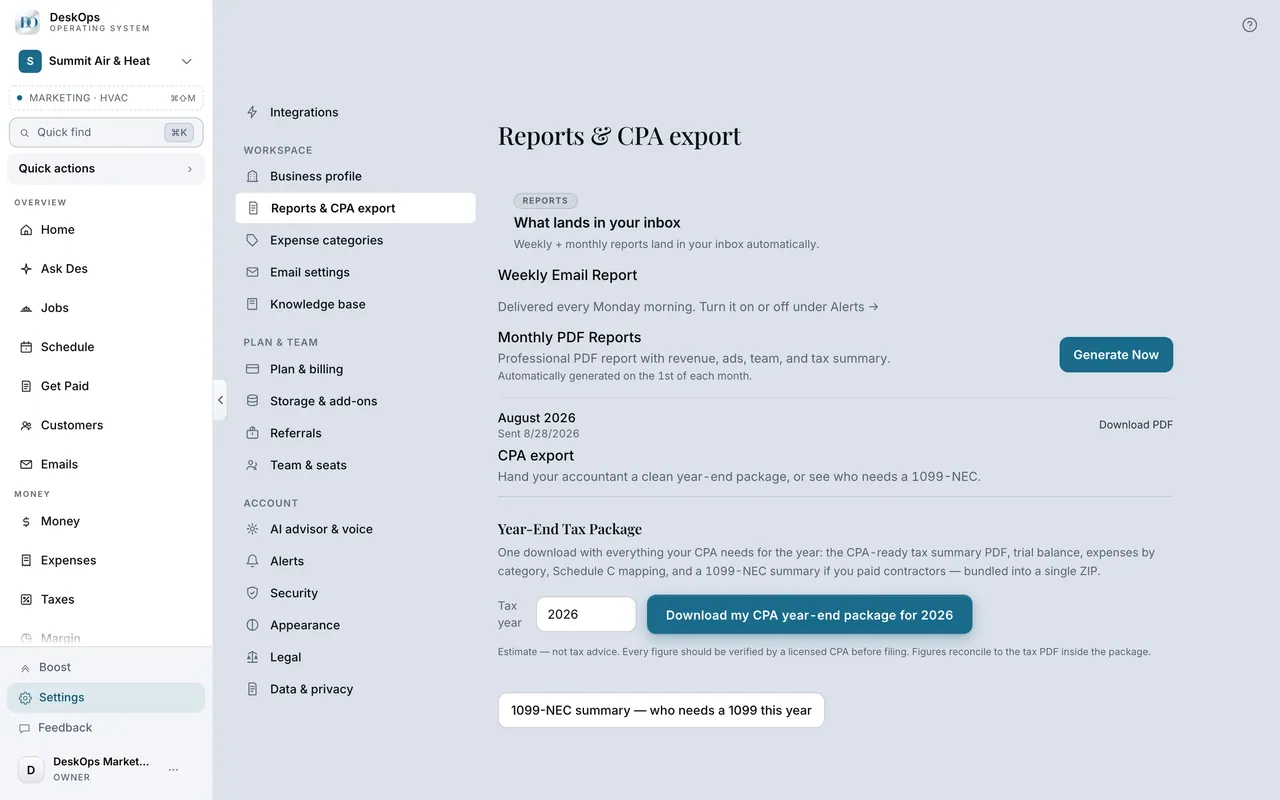 Example screen
Start here · On a computer
- 1Settings
- 2Reports & CPA export
On your phone: Settings → Reports & CPA export → 1099-NEC summary.
Ready to do this with your own business?
Put your CPA’s email in now, even if it is your own; you will see what they would see.