
Your business detailsIn Settings
In Settings
Your business name
The name on the Business profile is the one on every invoice, quote and PDF. Change it there once, not document by document.
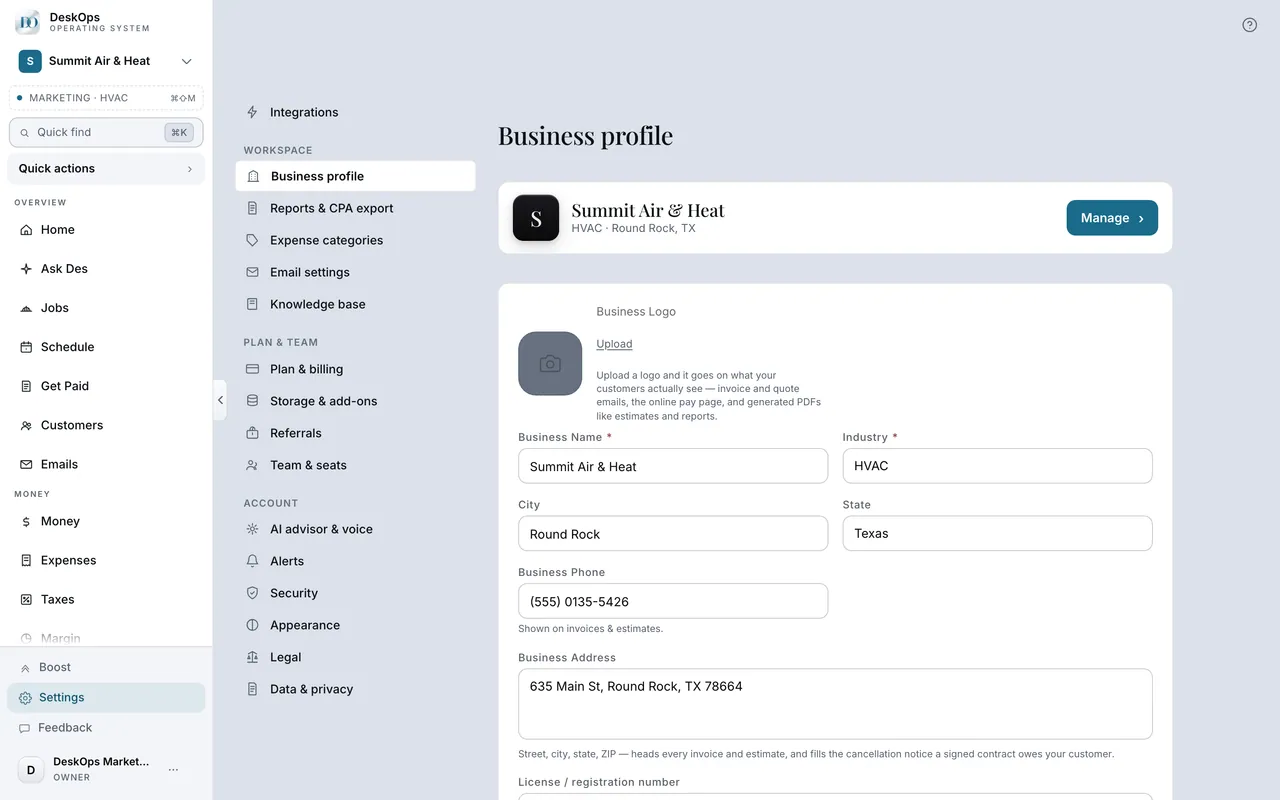 Example screen
Start here · On a computer
- 1Settings
- 2Business details
- 3Business Name
- 4Save Changes
On your phone: Settings → Business details → Business name → save.
In Settings
Your logo
Upload your logo on the Business profile and it appears on invoices, quotes and the PDFs you generate. Documents already sent keep the logo they had.
Example screenStart here · On a computer
- 1Settings
- 2Business appearance
- 3Choose logo (or Change logo / Remove logo)
- 4Save appearance
In Settings
Your timezone
Today’s money and every month end follow your business timezone, not the server’s, so a late-night payment counts on the day you took it.
Example screenStart here · On a computer
- 1Settings
- 2Business details
- 3Timezone
- 4Save Changes
On your phone: Settings → Business details → Timezone.
In Settings
Your EIN or tax ID
Your EIN goes on the Business profile. It feeds the tax packet and the 1099 summary, and only the owner can see it.
Example screenStart here · On a computer
- 1Settings
- 2Business details
- 3EIN
- 4Save Changes
On your phone: Settings → Business details → EIN.
In Settings
Liability insurance (New Jersey)
For New Jersey jobs, add your liability insurance certificate and the insurer’s phone on the Business profile. New quotes carry them, and your customer can download the certificate from their quote page.
Example screenStart here · On a computer
- 1Settings
- 2Business details
- 3Liability insurance
insurance company phone, then Save, then Certificate of commercial general liability insurance, then Upload certificate.
On your phone: Settings → Business details → Liability insurance: insurance company phone, then Certificate of commercial general liability insurance, just under License / registration number.
Ready to do this with your own business?
Set these once, before your first invoice goes out; every document after that carries them.