
Set your tradeIn Settings › Business profile
In Settings › Business profile
Choose your trade
Your trade lives on the Business profile. Pick the closest one even if yours is not listed word for word; changing it later is safe.
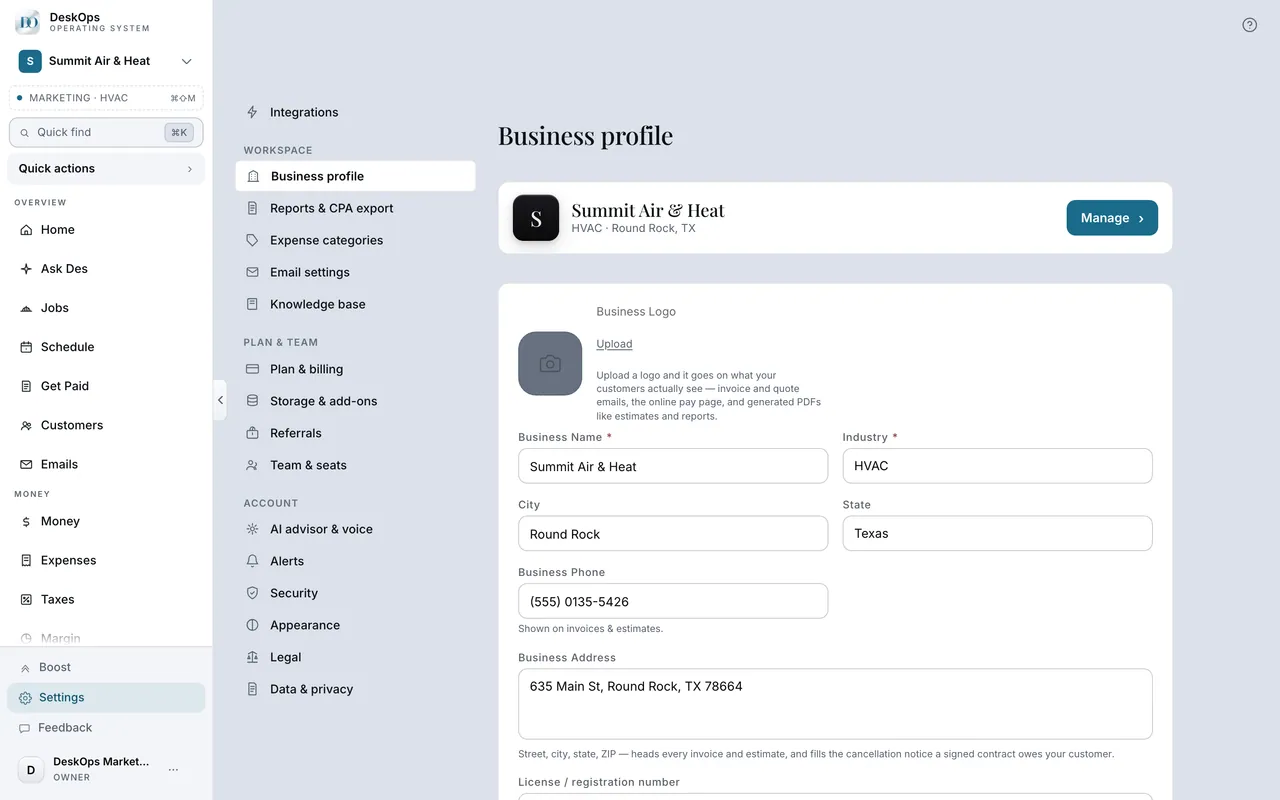 Example screen
Start here · On a computer
- 1Settings
- 2Business profile
- 3Industry
- 4Save Changes
On your phone: Settings → Business profile → Industry.
In Settings › Business profile
What changes when you pick it
The words on screen, what a job is measured in, which expense categories come first, the contract terms, and which tools Des offers.
Example screenStart here · On a computer
- 1Settings
- 2Business profile
- 3Industry
Worth knowingSet it before your first quote — the terms and the margin benchmarks follow the trade.
In Settings › Business profile
Is your kind of business covered
If you get paid per job, per visit or per month, yes. About seventy trades are recognised by name; “Other” works but loses the trade tools.
Example screenStart here · On a computer
- 1Settings
- 2Business profile
- 3Industry
pick yours, and the product adjusts.
On your phone: Settings → Business profile → Industry.
Ready to do this with your own business?
Pick the closest trade; you can change it later without touching anything you recorded.