
Find a customer and their historyIn Your customers
In Your customers
Find or add a customer
Customers is in the sidebar. Everyone who has paid you through a connected processor is already there, once; a new customer is added from the same page.
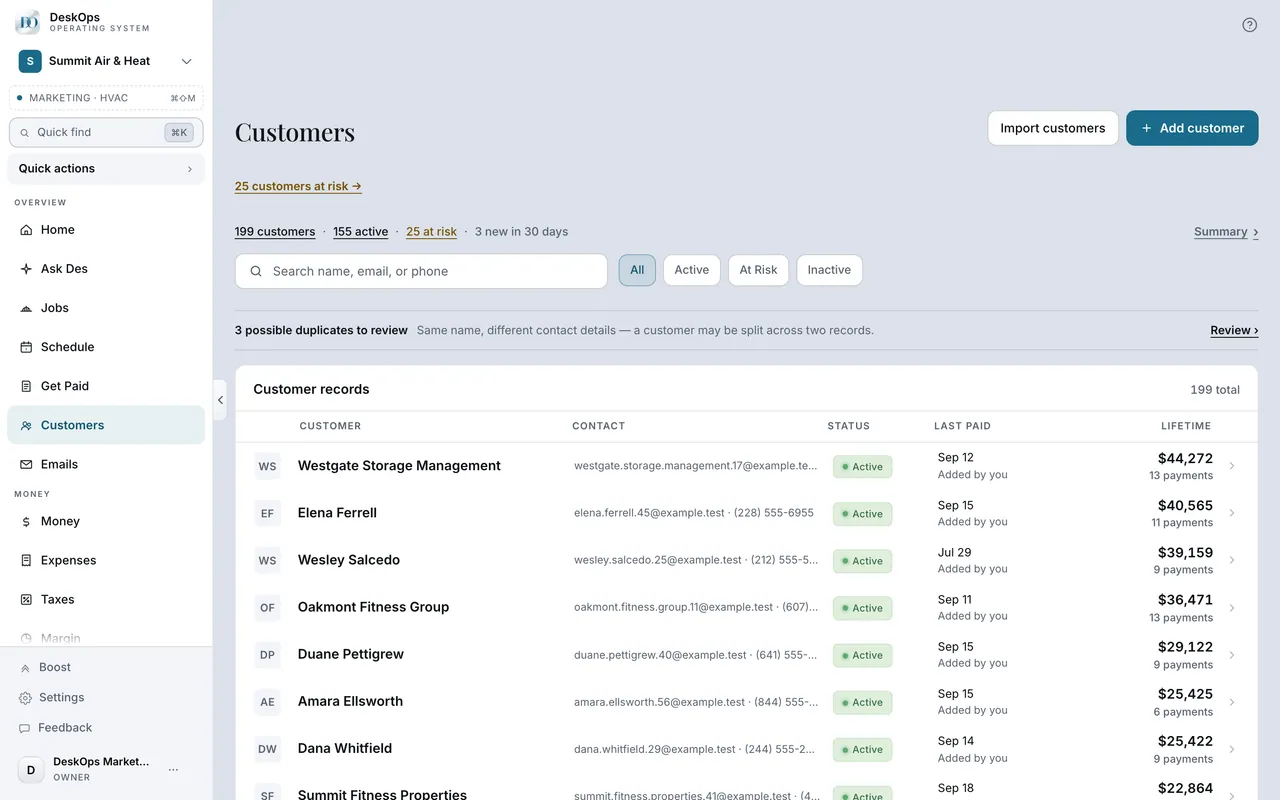 Example screen
Where it is · On a computer
Customers in the sidebar under Overview. /customers?new=1 opens the page with the new-customer form already open.
On your phone: Customers in the Menu tab, or use the Menu tab's search and pick Add customer.
Worth knowingYou do not need to import a spreadsheet on day one — a connected processor brings customers in with their history.
In Customers
Read their record
A record holds lifetime spend, every payment, where they came from, private notes, the properties you work at, and their invoices, quotes and jobs.
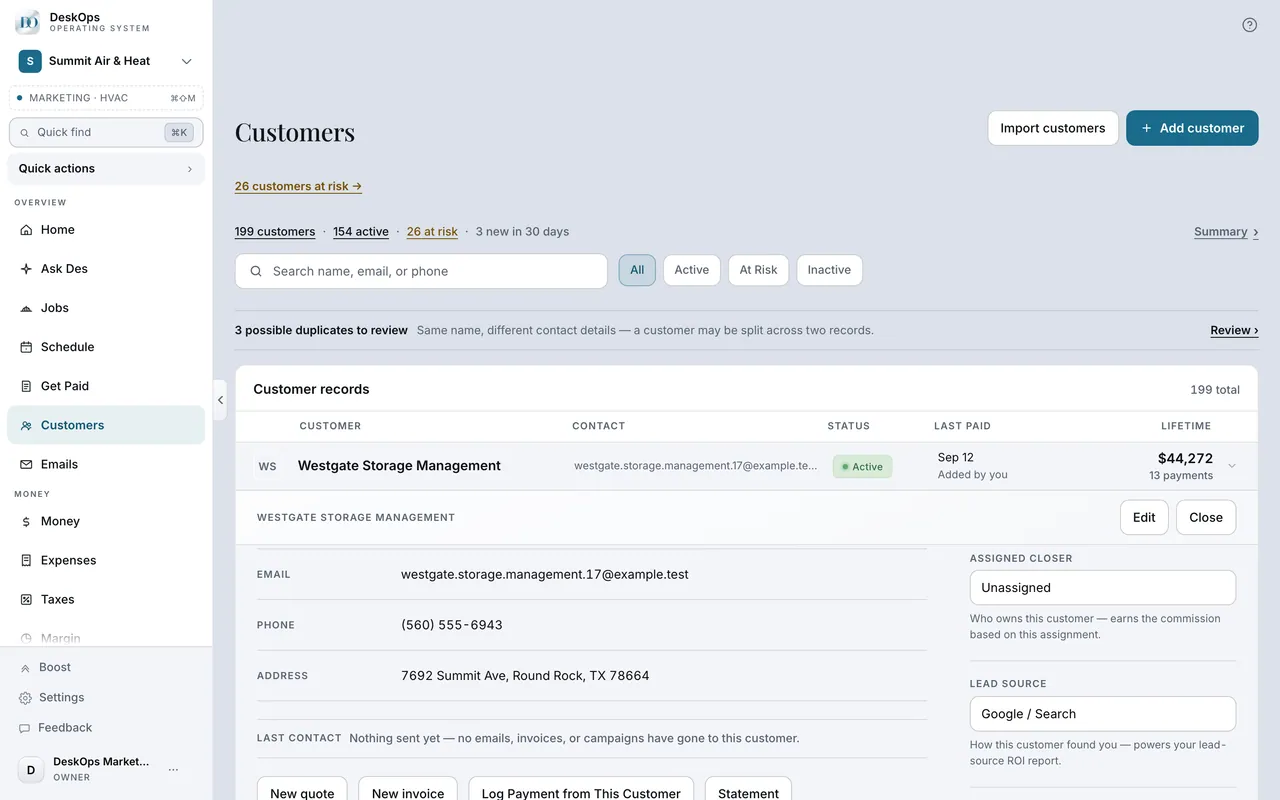 Example screen
Start here · On a computer
- 1Customers
- 2the customer
In Customers
Change their details
Open the customer and edit in place — phone, email, address, notes and tags. Connections often arrive without a phone number.
Example screenStart here · On a computer
- 1Customers
- 2open the customer
- 3edit their details inline
On your phone: Customers → the customer → edit.
In Customers
Show them a statement
Statement on the customer’s record lists every payment and refund with a running balance — the page to open when someone says they already paid.
Example screenStart here · On a computer
- 1Customers
- 2the customer
- 3Statement
Ready to do this with your own business?
Add the phone number and the gate code the first time you talk; that is what makes the next visit smooth.